
How do I switch between interacting as myself (personal profile) and interacting on my company (business page)? There are a couple of places and ways to change how or who you are as you interact on Facebook. We will review them below:
From a Business Page:
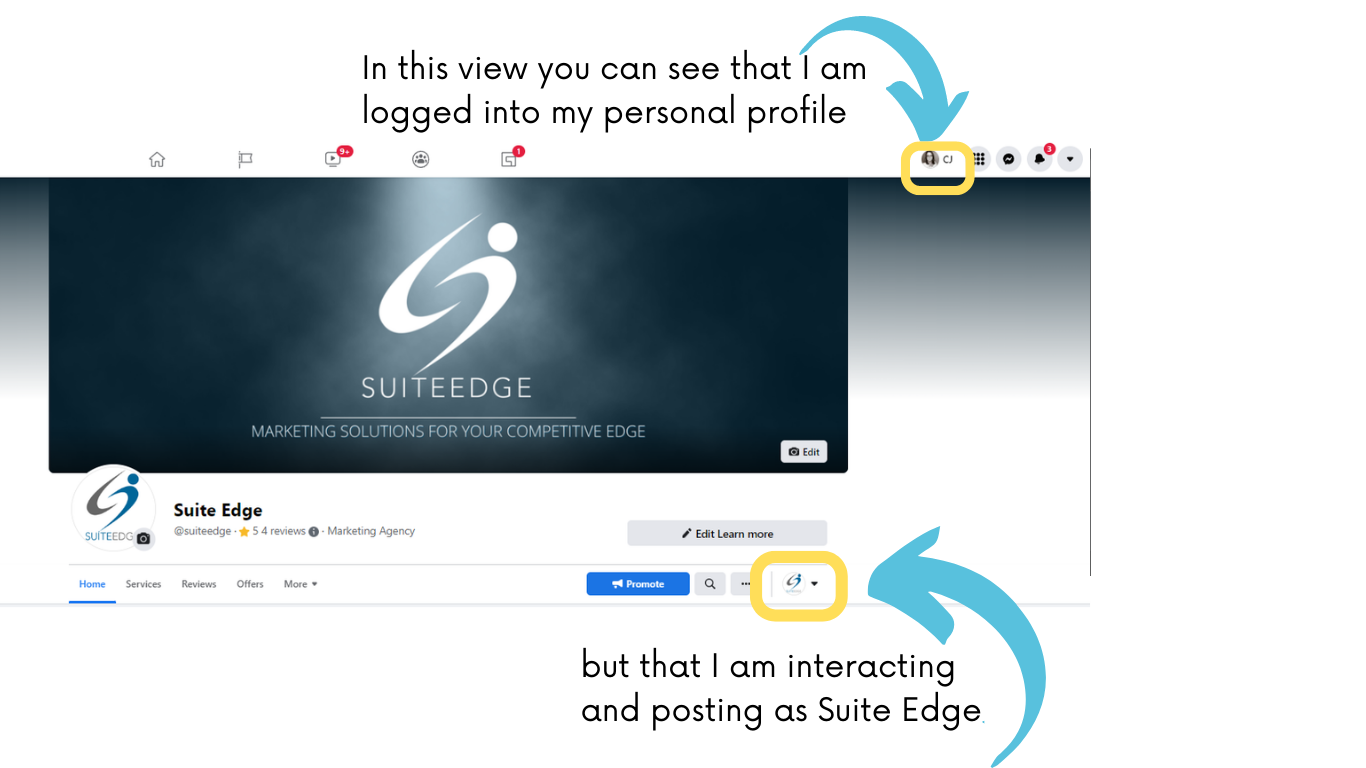
Log in to your Facebook account and navigate to the business page you want to interact on behalf of. You can switch between profiles using the drop-down menu that currently shows the company icon.
From the Newsfeed: (Apple Devices Only)
Scroll through your Facebook newsfeed. Then, click the downward arrow next to your profile picture and select who or how you want to interact.
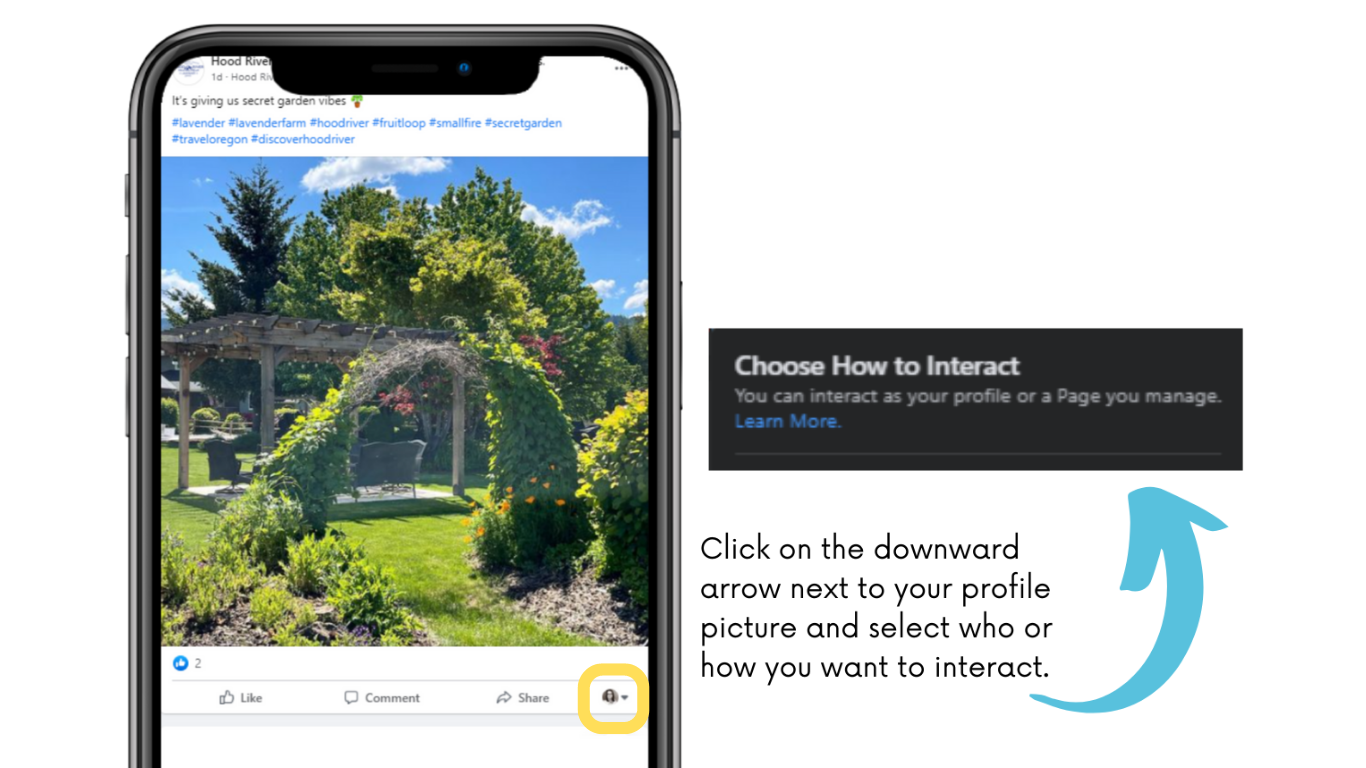
Update: Facebook is releasing a New Page Experience throughout 2022 that will allow Android users to use this functionality as well.
At The Top or for the New Page Experience:
Scroll through your Facebook newsfeed. Click the downward arrow next to your profile picture and select who or how you want to interact. The "New Page Experience" is gradually being released by Facebook. Eventually, all "Classic Pages" will become "New Pages"
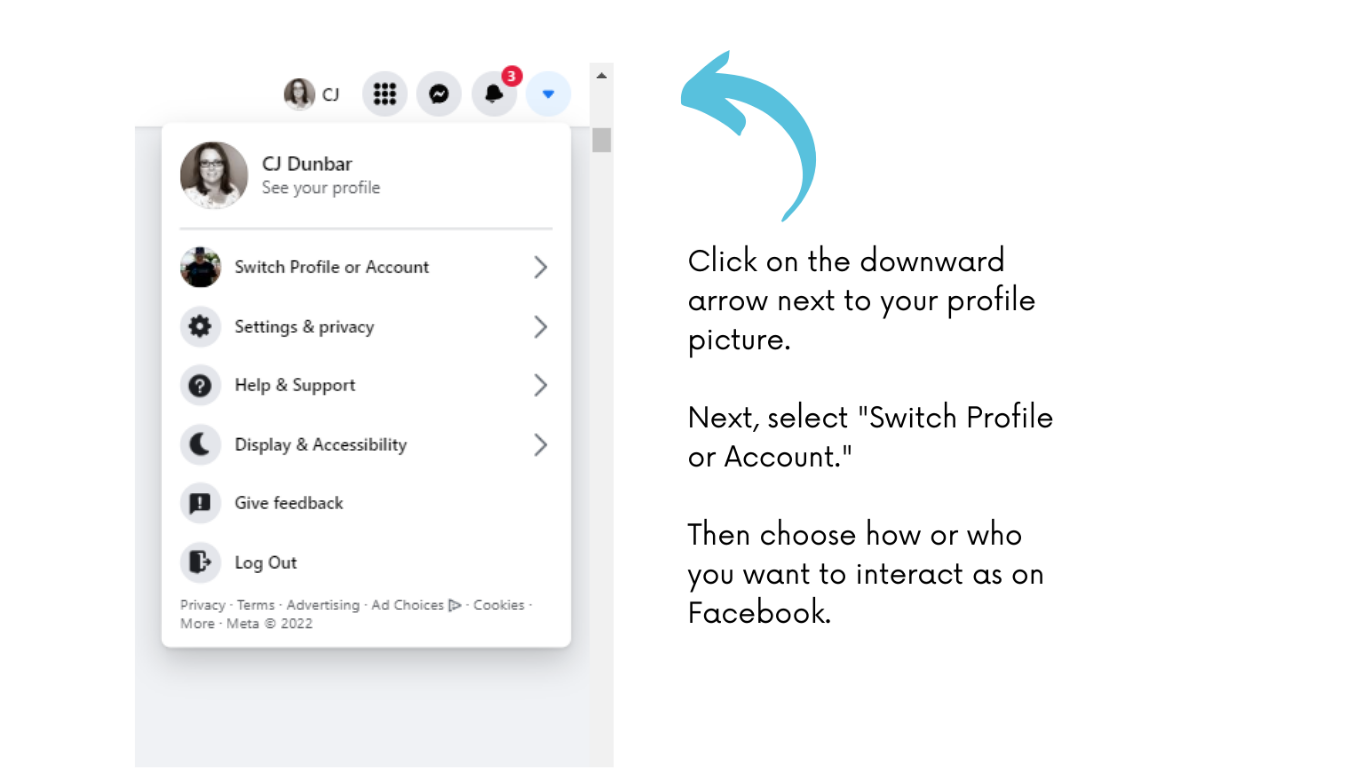
That's it...you are now a master at switching between and interacting as your personal profile or a business page on Facebook!