

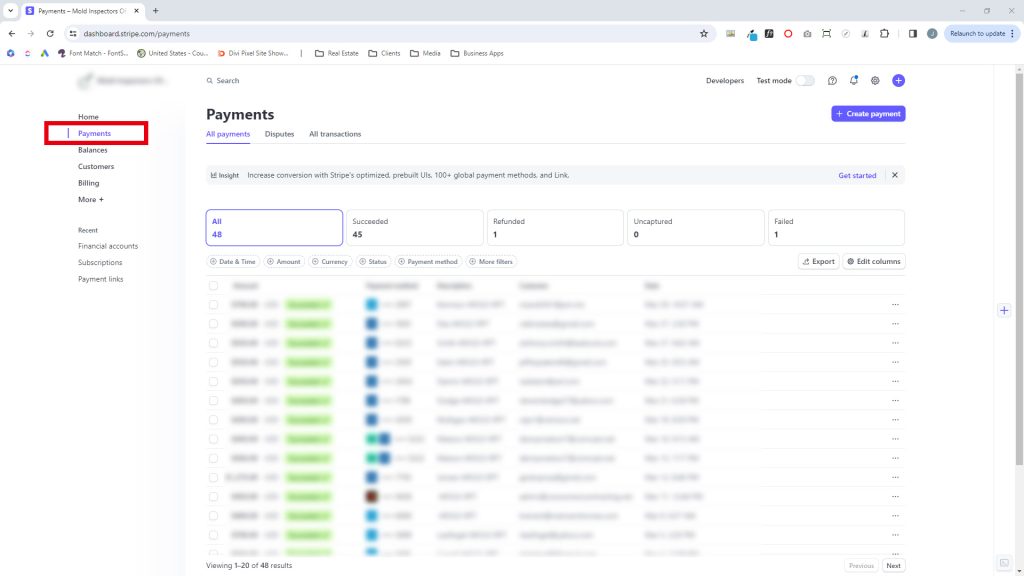
1. Log Into Stripe, Select Client, & Select the Payments Tab
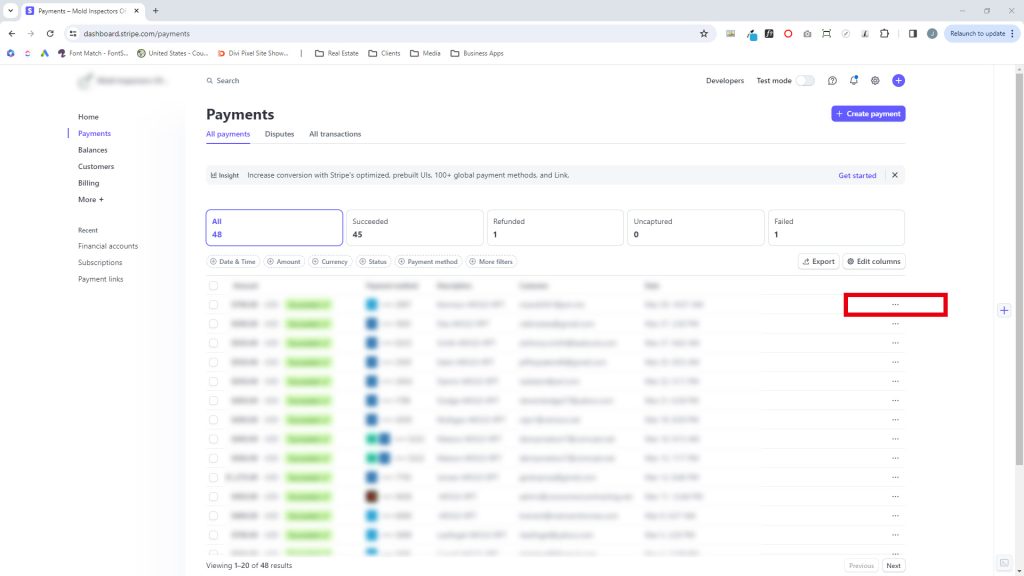
2. Click the Three Dots to the Right of the Client/Customer You Want to Refund (•••)
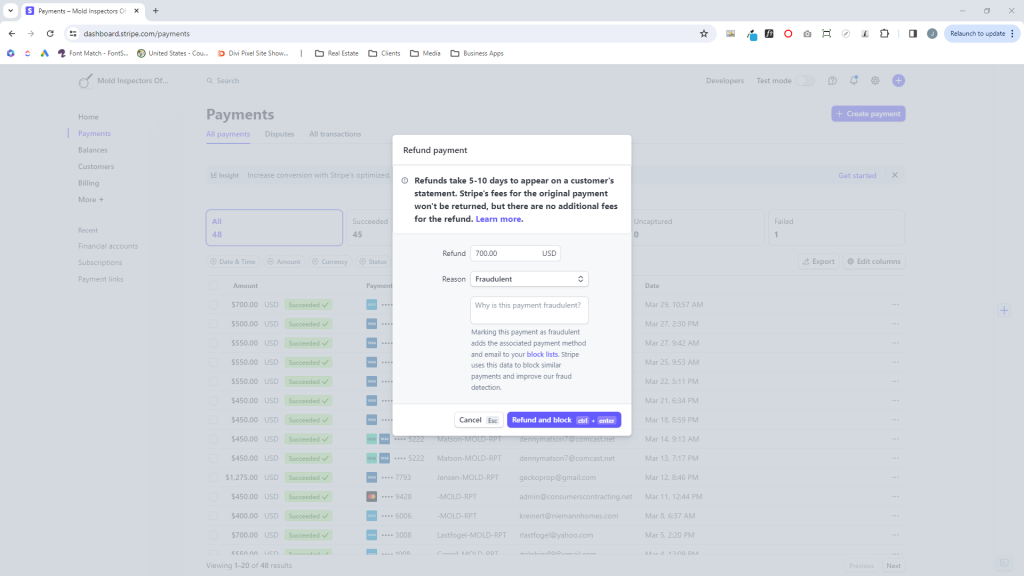
3. Select "Refund Payment," Provide the Amount & Reasoning, & Submit
That's it! You've completed a successful Stripe refund as easy as 1...2...3!