

The following instructions will help you add a new role to your business page, for example, an additional administrator.
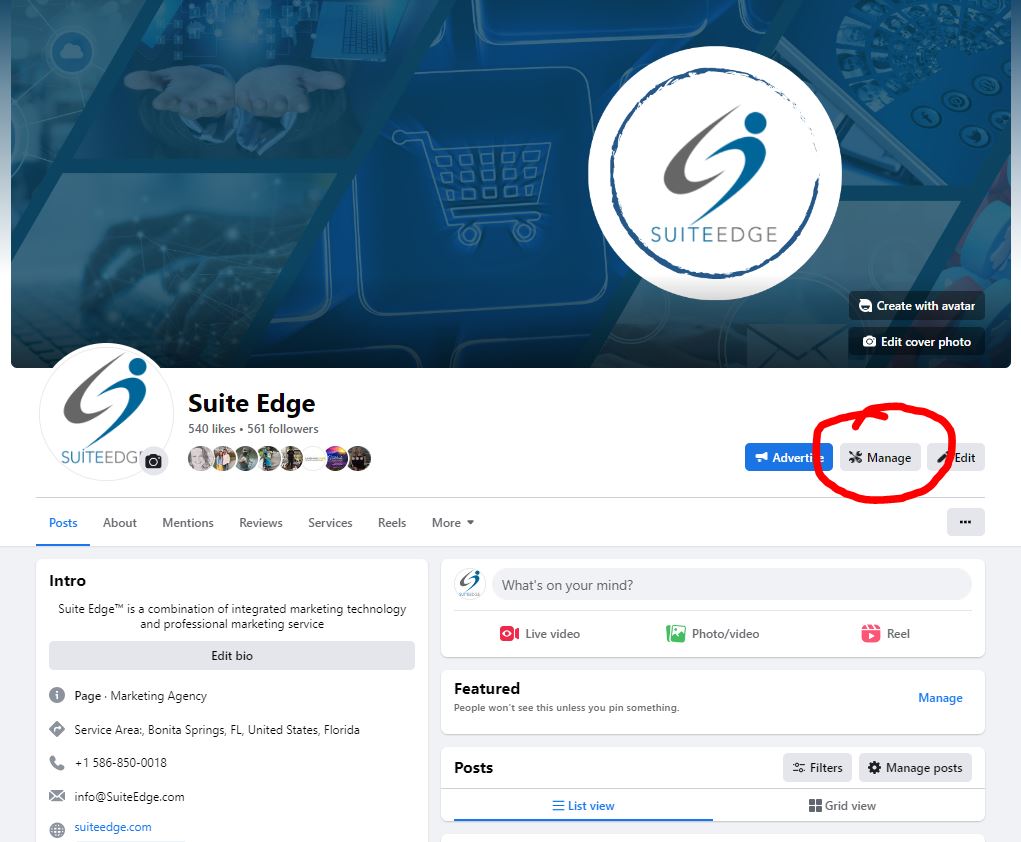
Step 1: Go to your business page, switch role's at your business and select "manage" underneath your main banner
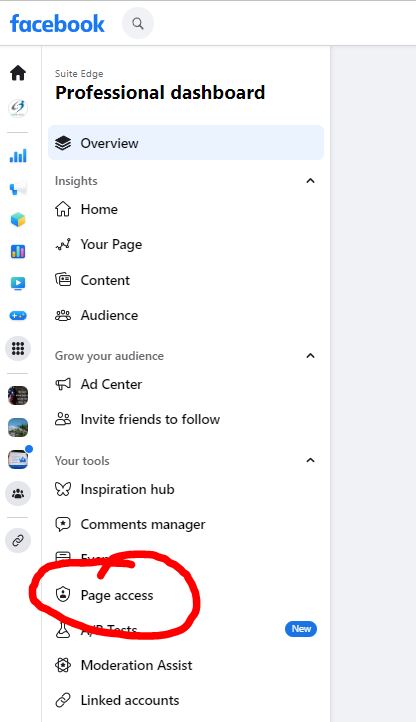
Step 2: Once in Settings, scroll on the left-hand side menu until you find Page Roles
Step 3: Type the name of the person needed under "Assign a New Page Role"
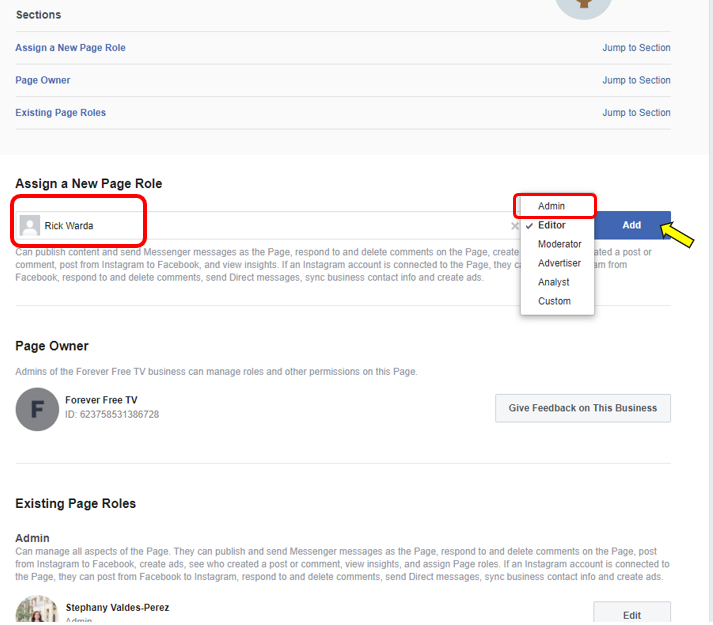
This will bring up search results, select the correct person and edit their permissions to either Admin, Editor, or other, then select "Add"