

In order to best serve you, Suite Edge needs to be added as an Agency Partner in your Facebook Business Manager. This process is well worth the few minutes it takes to complete the steps below.
Step 1: Log in to your Facebook account.
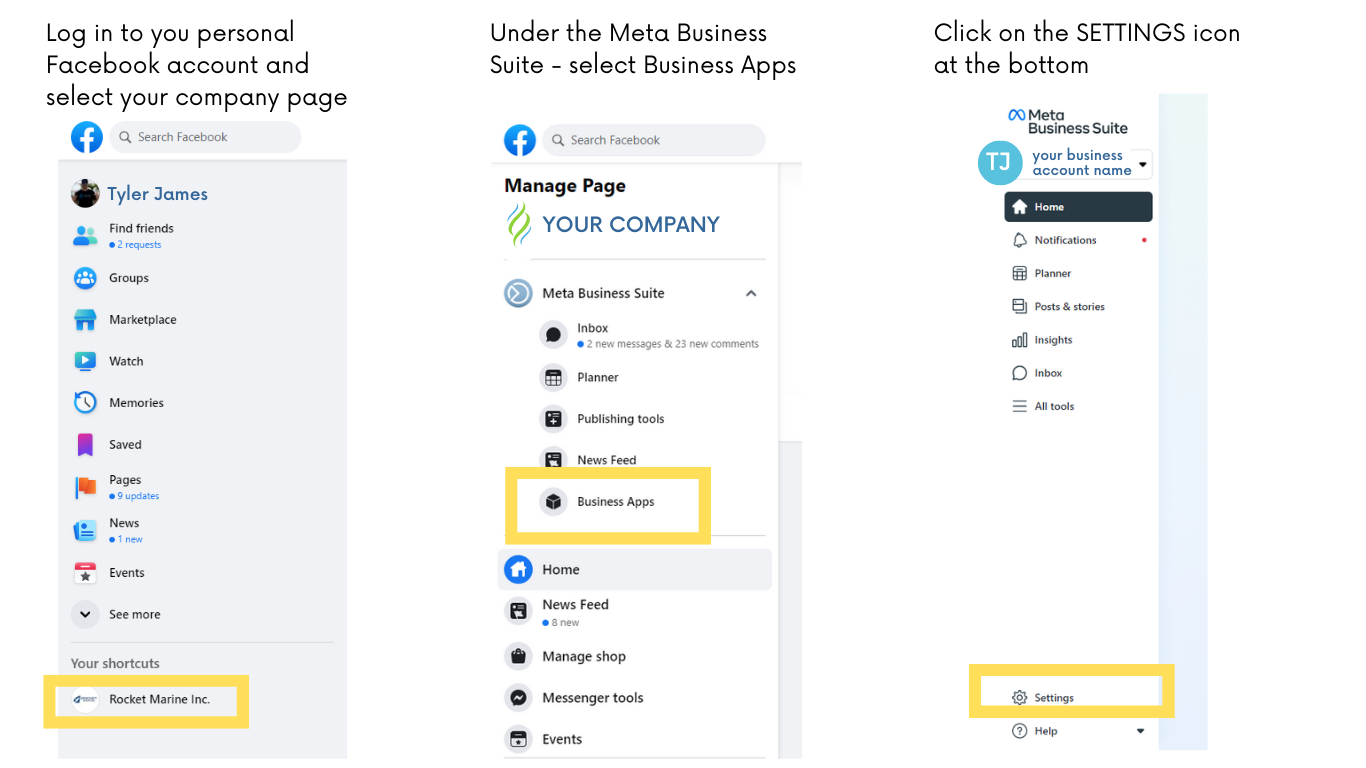
Step 2: Go to Business Settings.
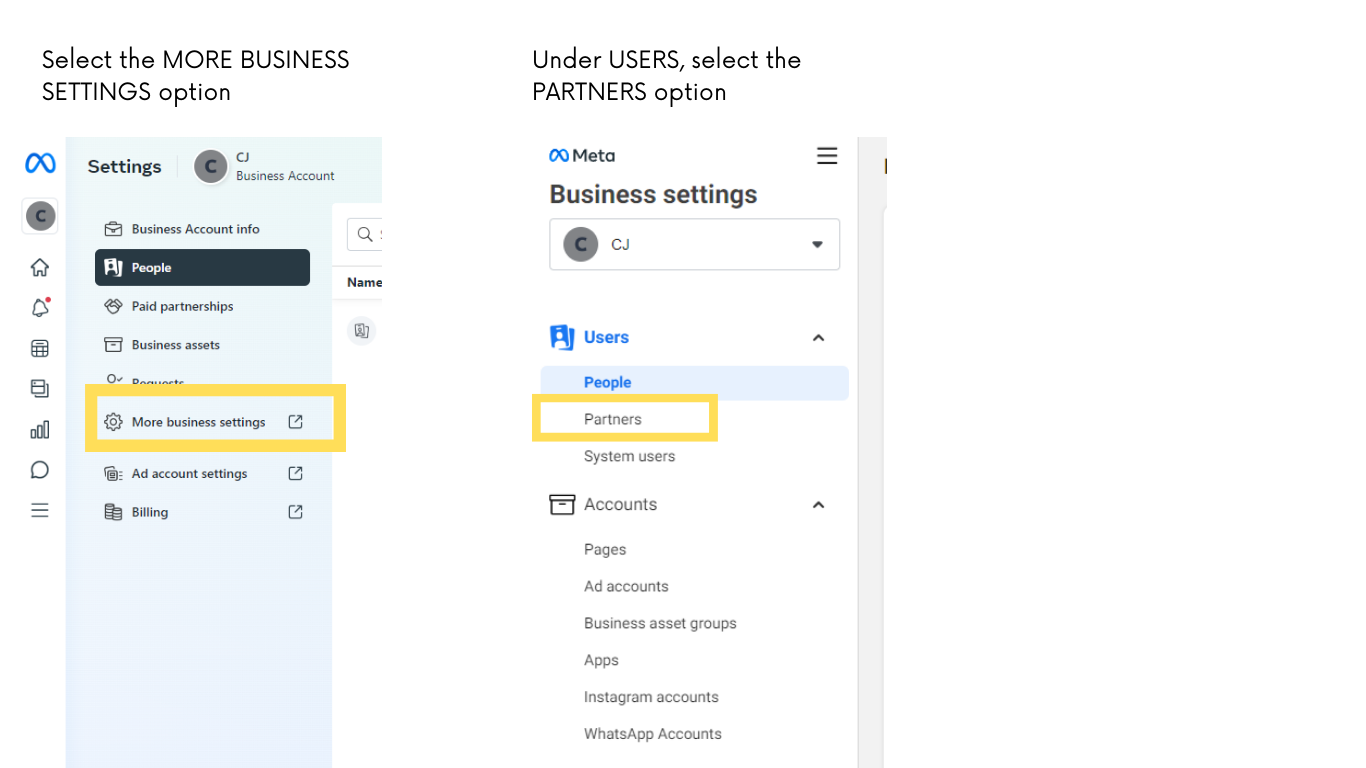
Step 3: Below User... click Partners
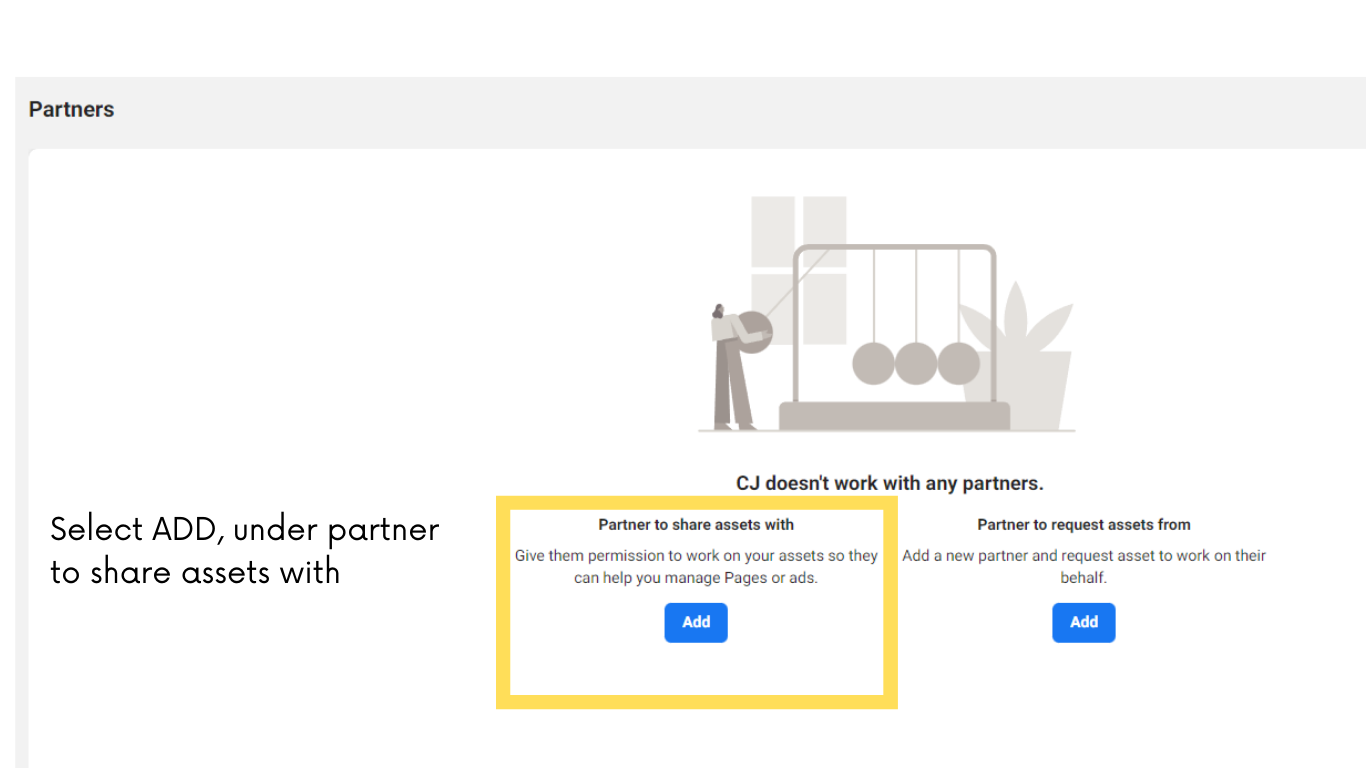
Step 4: Select add under "Give a partner access to your assets"
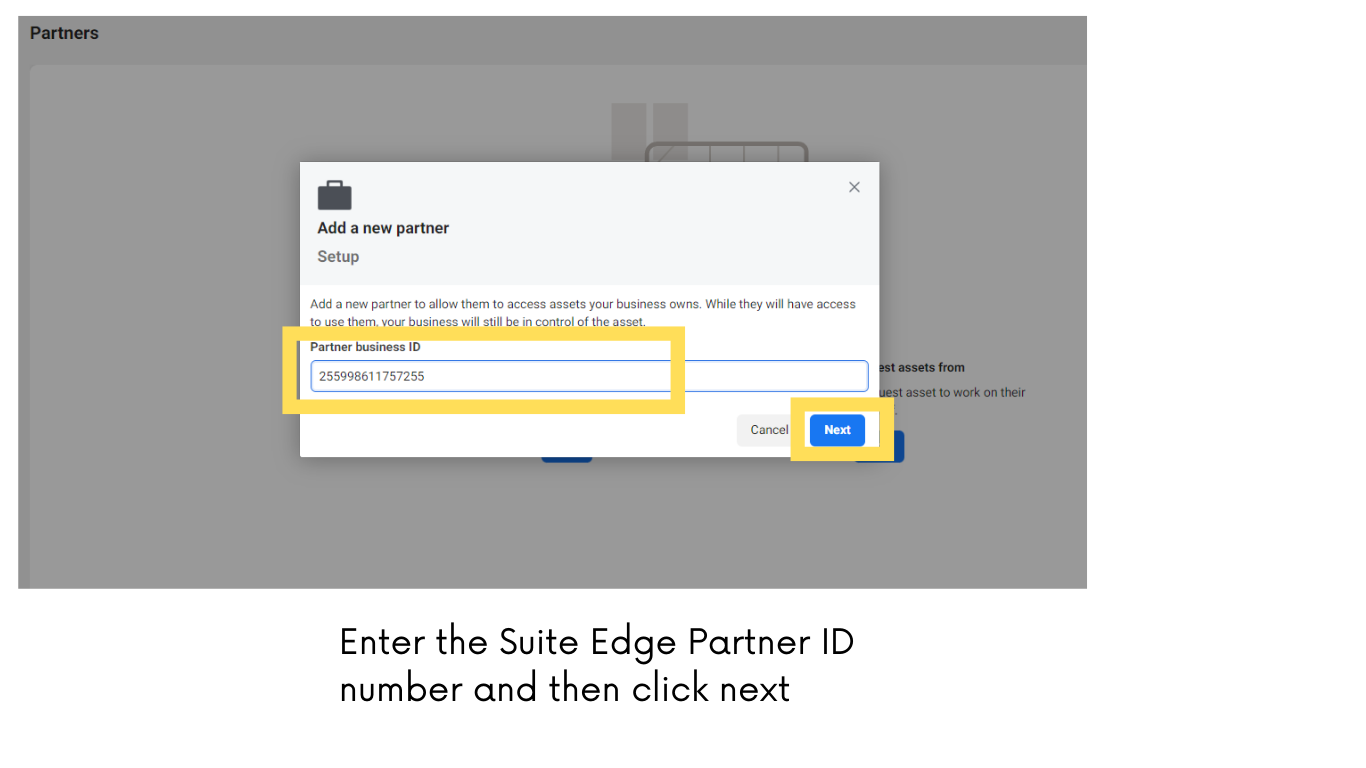
Step 5: Enter the Partner business ID you want to add and click Next.
Suite Edge Business ID: 255998611757255
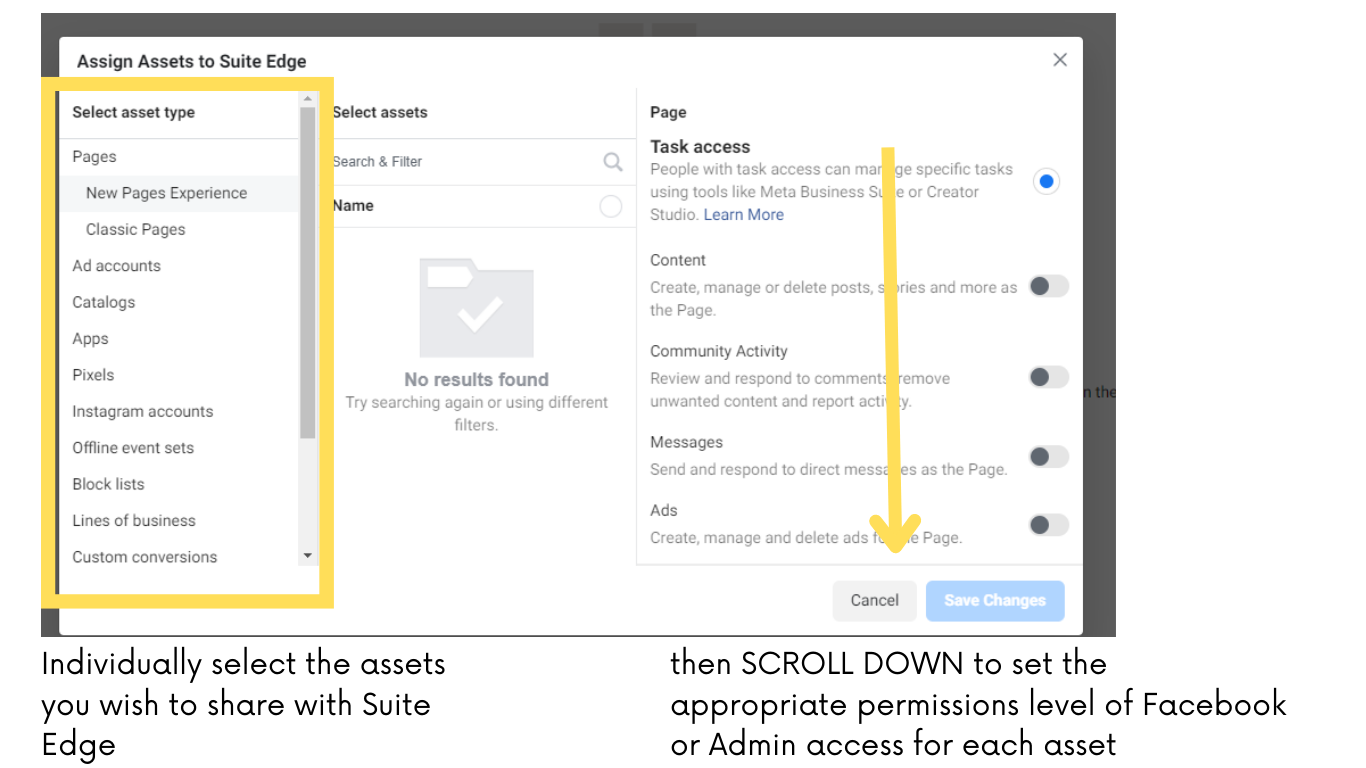
Step 6: On this screen, you can add partners to multiple assets.
- Classic Pages (required)
- Instagram Accounts (required)
- Pixel (required)
- Ad Accounts (optional - unless you would like Suite Edge to be able to advertise on your behalf now or in the future)
- Catalogs (optional - unless you have items to post in your online shop)
Step 7: Select the asset and the access you want to assign the person. To effectively assist you, we need the “Facebook Access,” "Admin Access," or 'Full Control" permission depending on the asset selected.
Step 8: After all assets in your business have been shared with Suite Edge....Click "Save Changes"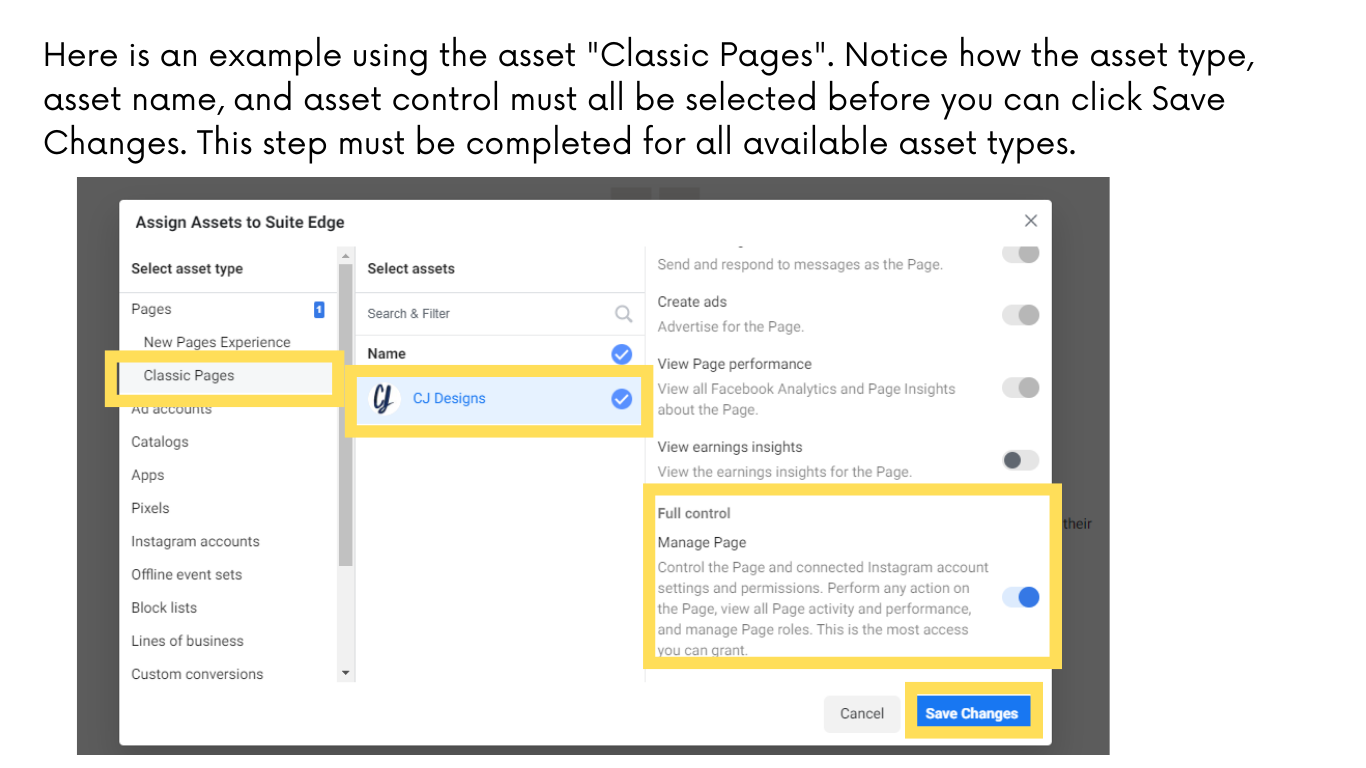
That's it! Suite Edge connected. We are now able to provide you with the best service possible as we manage your digital marketing and social media! Thank you for assisting us in getting things set up for success.