
This article will guide you through claiming a business page that is listed in the Experience section of your profile.
Step 1: Find the organization's page
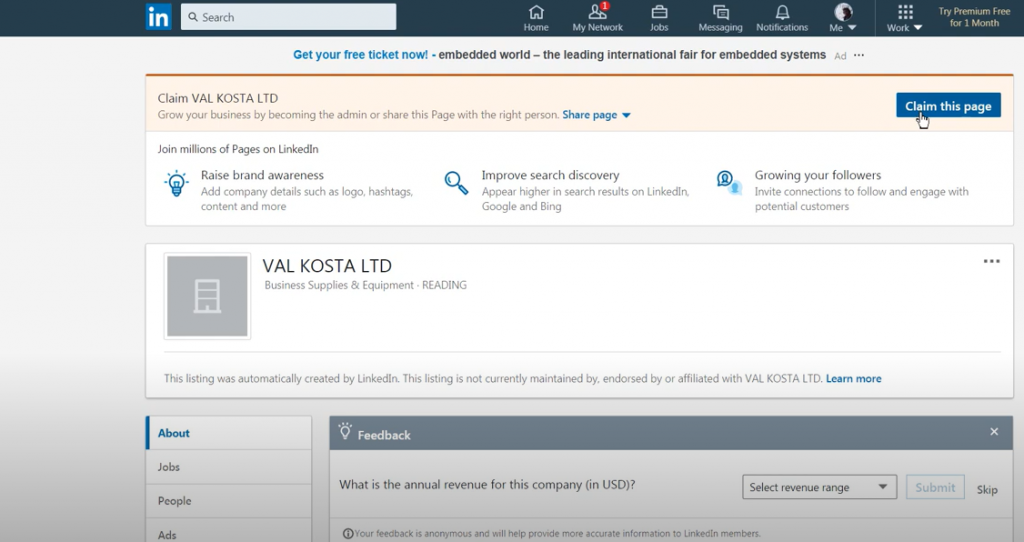
Click "Claim this page" at the top right corner and check the box to verify you're an authorized representative of the page