
Due to recent changes at Meta, having a Facebook and Instagram account is no longer enough for a business to effectively use these social channels. As such, Meta now requires a Facebook Business Account. This process is well worth the few minutes it will take to complete using the steps below. It is also necessary to allow us as an agency to assist you with your social media postings, ads, pages, pixels, shops, and job listings.
How do I know if I have a Facebook Business Account and not just a business page or personal profile?
Step 1: Log in to your Facebook account and determine if you already have a business account.
Step 2a: If you already have a Facebook Business Account, you can proceed to our help article HOW TO: Add Suite Edge to Your Facebook as an Agency Partner.
Step 2b: If you do not yet have a Facebook Business Account, continue with the steps outlined below:
Let's dive into helping you set up your Facebook Business Account.
Step 1: Go to https://business.facebook.com/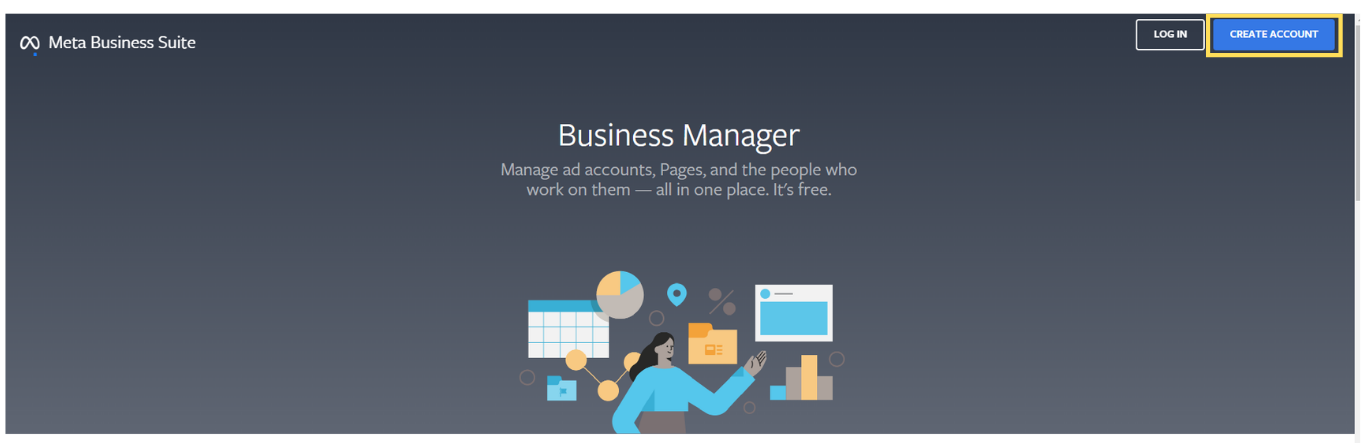
Step 2: Click "Create Account", log into your personal Facebook account (if requested), and enter in the required business information. You will be required to verify your business email address.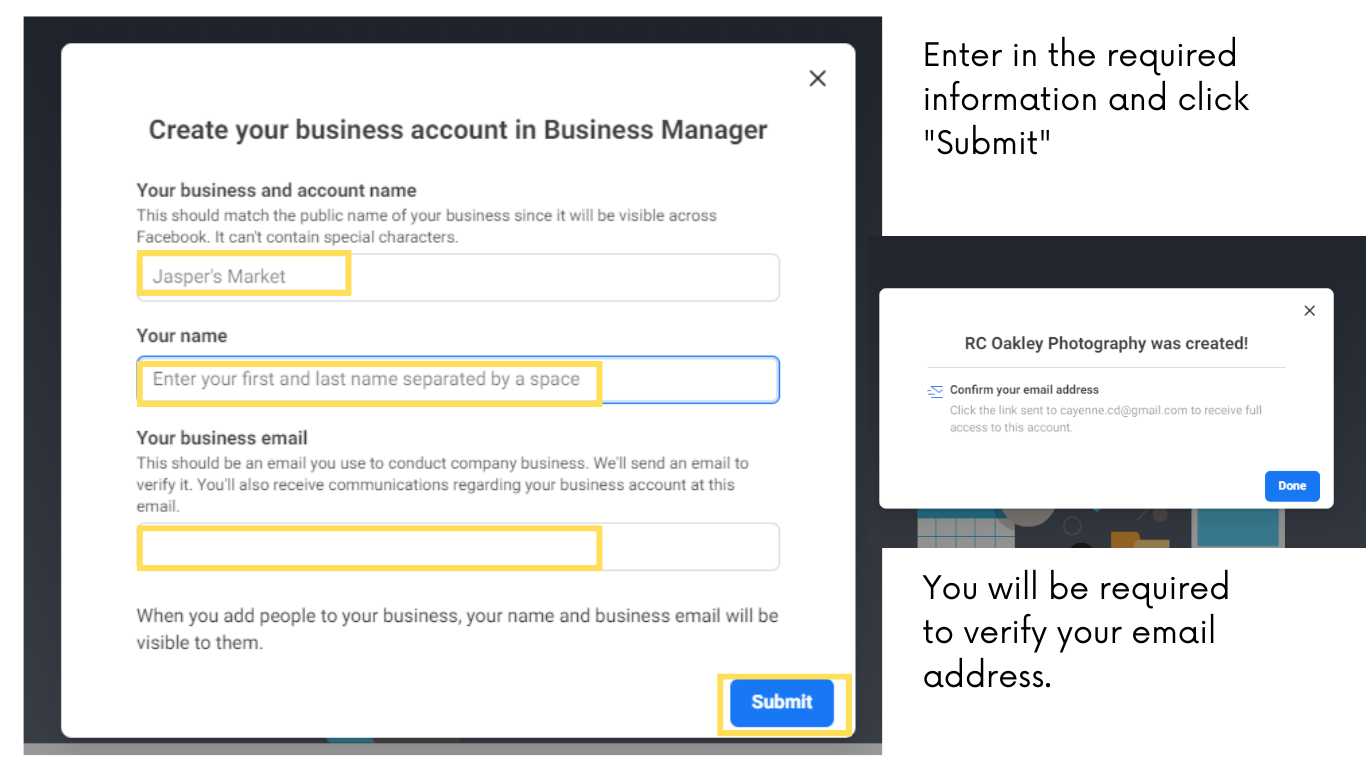
That's it! You should now have a personal profile, a business page, and a business account. Please proceed to our help article HOW TO: Add Suite Edge to Your Facebook as an Agency Partner. Once you have completed those steps, Suite Edge will be able to provide you with the best service possible within the new Meta features and requirements. Thank you for assisting us in getting things set up for success.